
Zen Browser
Zen Browser is a free, open-source web browser based on Mozilla Firefox, with a calm interface built around organising tabs.
Windows
Open source

Yandex Browser is a free web browser developed by Yandex on the Chromium and Blink engine, available for Windows, macOS, Linux, Android and iOS.
Average 0.0 · ratings: 0
Thank you! Your rating is saved; you can change it. Could not save the rating. Please try again later. Too many ratings from your network today. Please try again tomorrow. The average appears after 5 ratings.
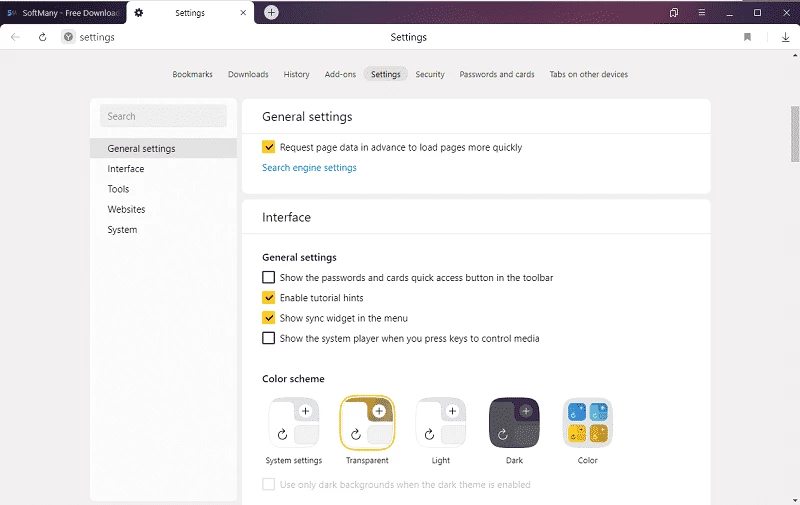
Yandex Browser 26.8.0.1788 is a free web browser from Yandex, built on Chromium and the Blink engine. You can download Yandex Browser for Windows from the official site; versions also exist for macOS, Linux, Android and iOS.
| Item | Details |
|---|---|
| Version | 26.8.0.1788 |
| Developer | Yandex |
| Engine | Chromium, Blink |
| First release | 1 October 2012 |
| Interface languages | Russian, Ukrainian, Turkish, English and others |
| Licence | Proprietary, free |
| Size | about 201.69 MB according to catalogue data |
According to the official installation page:
Support for 32-bit Windows was discontinued in August 2025, for Windows 7, 8 and 8.1 in December 2024, and for Windows XP and Vista in April 2017. On those systems the current version will not install.
Since it shares its engine with Google Chrome, Yandex Browser shows websites the same way, and most Chrome extensions work in it. Yandex adds its own interface, a start page with its services and integration with Yandex search and accounts. For people who already use Yandex mail, maps or cloud storage, that integration is the main reason to choose it; for others it is one more Chromium browser with a different design. The browser is widely used in Russian-speaking countries and in Turkey, which is reflected in its interface languages. If you prefer a neutral setup, you can change the search engine and start page in the settings after installation. Yandex publishes a security changelog for each version, which helps to see how quickly Chromium fixes arrive.
Install only from Yandex's own site. Review the privacy settings after installation, and decide which data you are comfortable syncing with a Yandex account; a browser sees everything you do online.
The browser updates itself in the background, and you can check the current version in the About section of the menu. If you decide to stop using it, remove it through Windows Settings, Apps; choose whether to delete your browsing data at the same time. Export bookmarks first if you plan to move them to another browser.
Yandex Browser is free.
Our site also lists Opera, Chromium, Waterfox, Firefox ESR, Thorium Browser and Mullvad Browser.
Zen Browser is a free, open-source web browser based on Mozilla Firefox, with a calm interface built around organising tabs.

Brave is a free, open-source, privacy-focused web browser built on Chromium, with ad and tracker blocking turned on by default.

LibreWolf is a free, open-source web browser based on Mozilla Firefox, maintained by the LibreWolf Community with privacy-focused defaults.

Mozilla Firefox is a free and open-source web browser developed by Mozilla, available for Windows, macOS, Linux, Android and iOS.

Opera is a free web browser for Windows from Opera Software. The stable release is 136.0.6008.22, published on 17 September 2026.

UC Browser for Windows is the desktop version of the web browser from UCWeb, a Chinese mobile internet company.

Google Translate is Google's multilingual machine translation service, used on Windows through the website and a browser extension.

Microsoft Edge is Microsoft's web browser, preinstalled on current Windows versions and available as a free download for reinstalling or updating.
Mozilla Firefox is a free and open-source web browser developed by Mozilla, available for Windows, macOS, Linux, Android and iOS.

Google Chrome is the free web browser from Google. The stable Windows release is 154.0.8037.58, out since 22 September 2026.

Cent Browser is a free Chromium-based browser for Windows from Cent Studio that adds mouse gestures, tab tweaks and other power-user options.